o
p
t
i
m
a
r
o
b
o
t
i
c
s

Make a Call


Make a Call
Blogs
How to Choose a Used Wireless Network Analyzer?
Choosing a Used Wireless Network Analyzer requires more than comparing prices and photographs. Condition matters. A reliable instrument should match your testing goals, frequency range, and measurement accuracy requirements. Before purchasing, check its model number, supported bands, dynamic range, noise floor, and available calibration options. These details reveal whether the analyzer suits Wi-Fi deployment, antenna testing, cable inspection, or broader RF work.
I have learned that cosmetic damage is not always the greatest concern. A scratched case may hide a perfectly stable instrument, while worn connectors can create serious measurement errors. Inspect each port carefully, especially the test connector and any adapter interface. Request recent screenshots, a self-test report, and evidence of stable readings from a known signal source. Trust evidence. Ask whether the battery, display, cooling fan, and control buttons function properly. Confirm the firmware version and determine whether updates remain available from the manufacturer. Calibration history also matters, because stored traces cannot replace current verification. An independent calibration certificate is valuable when accuracy affects engineering decisions or compliance documentation. However, no checklist catches everything. Used equipment may develop intermittent faults after shipping, even when testing appears normal. Choose a seller with clear return terms, accurate condition descriptions, and responsive technical support. Keep records of serial numbers, accessories, and test results. A careful evaluation reduces risk and helps you buy a Used Wireless Network Analyzer that performs reliably in real working conditions.
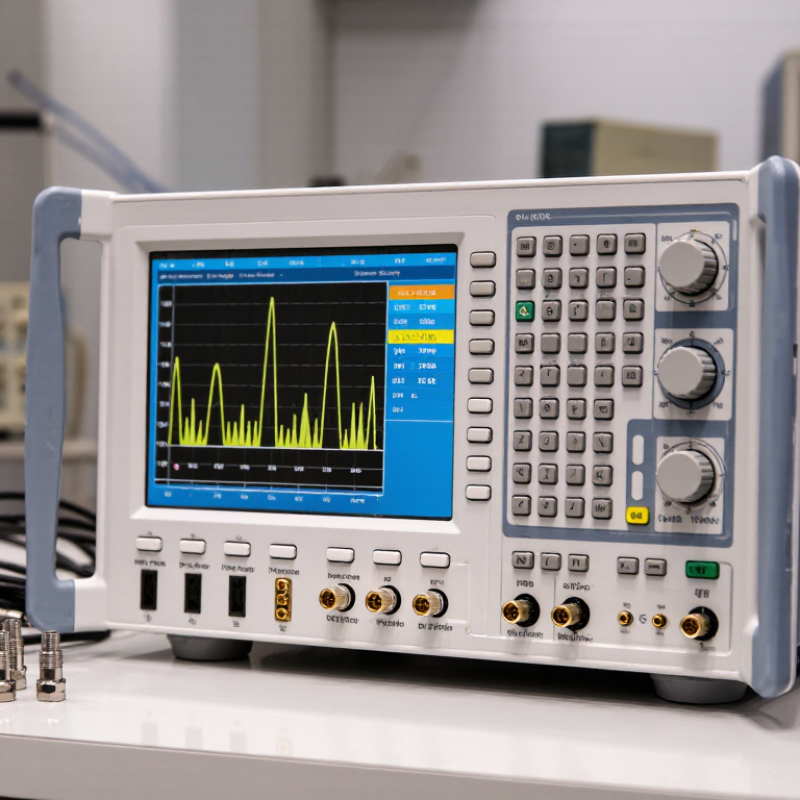
Table of Contents [Hide]
Define Your Wireless Testing Requirements
Before inspecting a used wireless network analyzer, define the problem it must solve. Are you checking coverage, interference, roaming, or packet behavior? Each task demands different capabilities.
A small office may need spectrum visibility and clear reports. A high-density site may require multi-band capture, timestamp accuracy, and directional measurements. Write down the wireless standards, frequency ranges, channel widths, and expected signal levels.
Do not rely on vague terms like “professional grade.” They hide practical limits.
Think about how you will work in the field. I have found that weight, battery life, and screen readability affect testing more than brochures suggest.
Decide whether you need live visualization, raw capture files, external antennas, or computer-based analysis. Check the analyzer’s input range, noise floor, supported connectors, and maximum capture duration.
A missing adapter can stop a scheduled survey. That happened to me. Also define acceptable measurement error and required calibration records.
If results support business decisions, traceable calibration matters.
Used equipment needs a condition checklist. Inspect ports, knobs, display, battery swelling, storage errors, and signs of moisture.
Request a recent self-test and sample measurement from a known reference source. Compare the result with your expected range, not just the seller’s description.
Confirm software compatibility, license transfer rules, firmware support, and repair availability. These details are easy to overlook.
Leave room for uncertainty. Older hardware may work well, but undocumented drift can weaken confidence.
Choose the unit that matches your written requirements, even if it looks less impressive.
Brands
Proudly Trusted by Top Suppliers Worldwide







Let us know and we will automate, together to fit your industrial needs.
 +91-97254 16844
Clients
Proudly Trusted by Top Companies Worldwide


Do you need Help? Get in touch.
X
Please fill out the form below and we will get back to you as soon as possible.