o
p
t
i
m
a
r
o
b
o
t
i
c
s

Make a Call


Make a Call
Blogs
What Is an Industrial Panel PC and How Does It Work?
An Industrial Panel Pc combines a display, computer, and operator interface in one industrial enclosure. It runs production software while presenting buttons, dashboards, alarms, and machine data through a touchscreen. Unlike an office computer, it is designed for heat, vibration, dust, moisture, and continuous operation. Some models use fanless cooling, sealed bezels, and stainless-steel housings. Others provide resistive touchscreens for operators wearing gloves.
The system works through a straightforward chain. Sensors and controllers send data through Ethernet, serial ports, USB, or industrial protocols. The embedded processor converts that data into visual instructions. An operator then changes settings, acknowledges an alarm, or starts a controlled process. A 15.6-inch panel mounted beside a conveyor may show motor speed, temperature, and emergency status at once. Its enclosure may carry an IP65 rating, although the exact protection depends on installation and certification.
Industry demand is expanding with factory automation and edge computing. MarketsandMarkets’ Industrial PC Market report projects continued growth through 2029, supported by smart manufacturing and connected equipment. Grand View Research also identifies automation, energy, and transportation as important application sectors. Forecasts differ because researchers define “industrial PC” differently. That matters. A rugged touchscreen alone does not guarantee dependable control. Buyers should verify processor performance, operating temperature, ingress protection, software compatibility, lifecycle support, and compliance documentation. Real factory experience often reveals a less obvious weakness: poor cable routing can undermine an excellent enclosure. This article explains the internal architecture, operating process, and selection factors behind an Industrial Panel Pc, without treating every model as suitable for every plant.
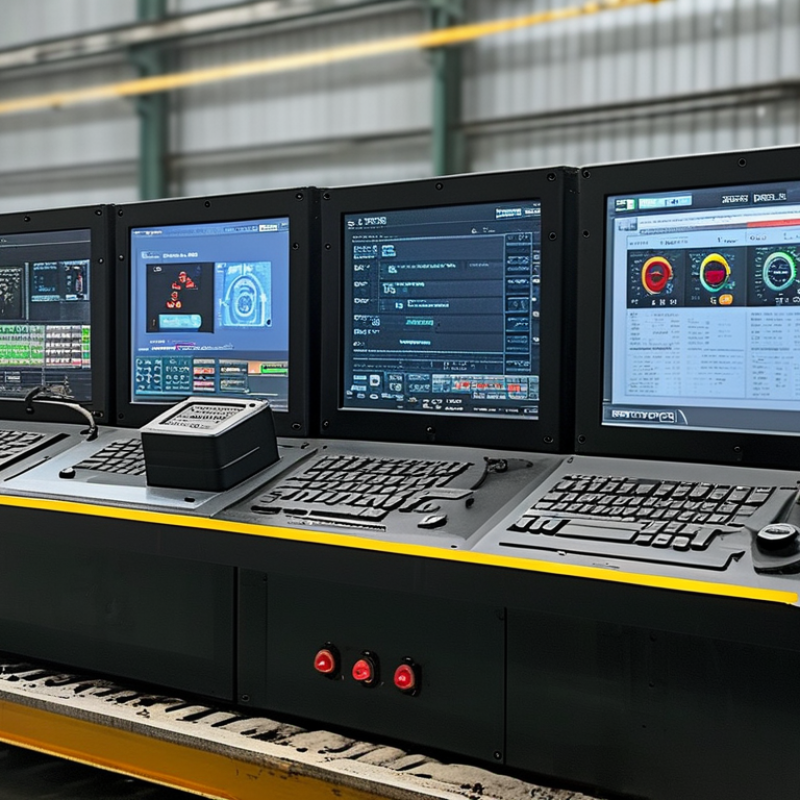
Table of Contents [Hide]
Industrial Panel PC Definition: An All-in-One HMI for Factory Automation
An industrial panel PC is an all-in-one human-machine interface for factory automation. It combines a computer, display, and control interface in one rugged enclosure. Operators can monitor production lines, adjust settings, and respond to alarms from a single screen. Unlike office computers, it is built for dust, vibration, temperature changes, and continuous operation.
Inside, an industrial processor runs control software, visualization tools, and data services. The panel PC connects with programmable controllers, sensors, drives, cameras, and manufacturing networks. A technician might view motor speed, pressure readings, and batch status on one dashboard. Touch input makes changes faster, especially when workers wear gloves. Sealed front panels also simplify cleaning around packaging or processing equipment.
Reliable installation requires more than strong hardware. Engineers must check voltage, mounting depth, screen visibility, and network compatibility. Poor ventilation can still shorten service life. A bright display may become difficult to read under direct factory lighting. These details are easy to underestimate. No design is perfect. In practice, teams often improve the interface after watching operators use it during a busy shift. Clear alarm colors, physical buttons, and simple screens can prevent costly hesitation. Regular backups, access controls, and maintenance records also support dependable operation.
Brands
Proudly Trusted by Top Suppliers Worldwide







Let us know and we will automate, together to fit your industrial needs.
 +91-97254 16844
Clients
Proudly Trusted by Top Companies Worldwide


Do you need Help? Get in touch.
X
Please fill out the form below and we will get back to you as soon as possible.